Engineering
How we implemented expression binding
How Virmii combines AI-generated expression artwork, face projection, and camera tracking to make generated avatars blink and speak without automatically sculpting facial shape keys.
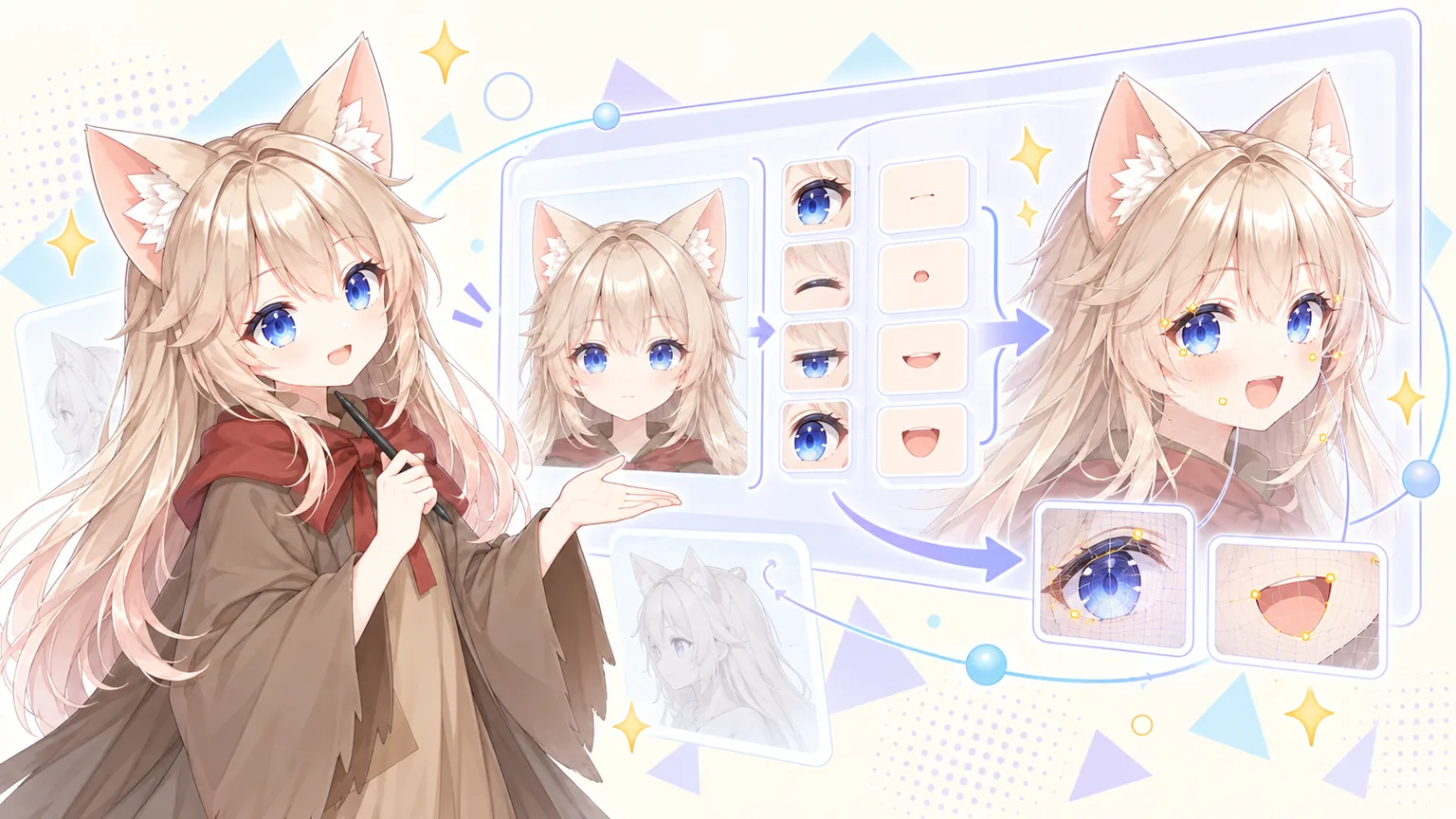
We started with a problem that looked like a missing connection: a generated avatar could turn its head, but its face stayed still. Connecting the tracker to expression names was not enough. The model needed something to display when a person blinked or opened their mouth.
Our previous article explained why automatically creating facial shape keys for arbitrary generated meshes is difficult. That problem has not disappeared. Instead, we built a different expression pipeline: generate images of the eyes and mouth, place them on the face, and choose the appropriate pose from camera tracking.
The result keeps the moving 3D model while using artwork for facial expressions. It does not turn the model into a fully rigged, deformable face.
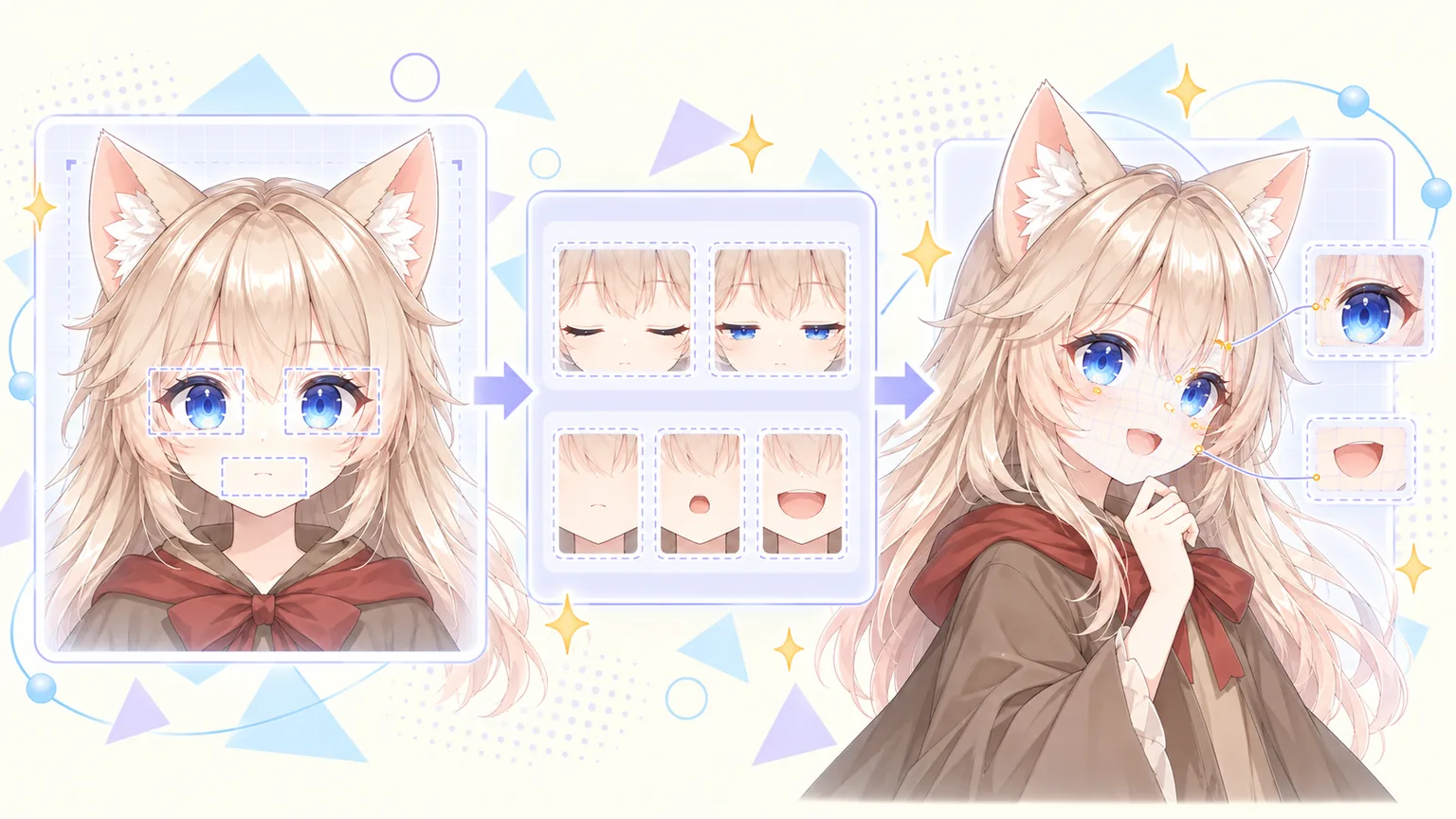
Concept illustration: locate the features, generate expression artwork, then project it onto the moving face. This is not a product screenshot.
Start with the model's actual face
The reference comes from the completed 3D model, rather than the original character illustration. Virmii temporarily restores a neutral pose and renders a front-facing, 1024-by-1024 image. It then restores the model's pose.
This matters because a generated model can differ from its source image. We need the eyes and mouth in the reference to line up with the face that the viewer actually renders. It also means a model created from text can use the same process: an original illustration is not required.
The reference is sent to Gemini. This step uses a render of the avatar, not a webcam photo of its owner.
Locate the features before generating artwork
Before making expressions, we locate three regions: the viewer-left eye, the viewer-right eye, and the mouth. Their bounds use coordinates between 0 and 1, measured from the top-left of the reference image.
We initially requested JSON through a prompt and set the response MIME type to JSON. That did not constrain the fields or coordinate types. A production attempt failed here, before any expression image batch was submitted, because the returned region data did not pass validation.
The updated implementation supplies a JSON Schema as well. A successful response has an explicit status and three regions, each containing exactly four numbers between 0 and 1. An unrecognizable face has a separate response with status: "not_frontal" and regions: null.
A schema only checks the structure. We still validate the geometry: boxes must have sensible sizes, eyes must be ordered correctly, the mouth must sit below them, and the expanded patches must not overlap or run outside the reference.
Generate thirteen images, then reuse them
The expression set contains:
| Artwork | Images |
|---|---|
| Closed eyes and half-closed eyes | 2 |
| A gentle smile | 1 |
| Five vowel mouth poses | 5 |
| Smaller versions of those mouth poses | 5 |
| Total | 13 |
The original face supplies the neutral pose. We do not need an extra neutral image.
Each edit starts from the same reference. The prompt asks Gemini to preserve the framing, lighting, hair, and face position while changing the required feature. Keeping the mouth interior and tongue consistent between small and large poses is especially important: a pink small mouth switching to an almost-black large mouth looks abrupt even when the tracking is correct.
Generation uses background batch requests with a separate callback URL for each request. The images are submitted before the workflow waits for completion, so we do not wait through thirteen queues one after another. Processing may take up to about 24 hours, and the user can leave the page while it runs.
When a callback arrives, the server verifies its signature and checks that it belongs to the expected batch. It then retrieves the result from Google, validates the image, and stores it in R2. Only a complete set becomes available for playback.
Make the artwork follow the face
A first experiment kept the model facing forward. That made alignment easier, but the avatar felt too still. We wanted to keep head and body movement.
We project the reference image onto the model in its neutral pose and store those projection coordinates on the mesh. Skinning carries the coordinates with the moving face. During playback, separate masks determine where the left eye, right eye, and mouth artwork can appear.
That separation lets us reuse the same closed-eye image for independent winks. Closing one eye applies the artwork only to that eye's region; it does not replace the whole face.
Projection also introduced a less obvious bug: the mouth patch could reach a surface behind the chin. It was hidden from the front, then became visible as a pale patch near the neck or collar when the head turned.
The playback fix adds two checks. Head-bone weights limit which parts of the mesh can receive the artwork, and a depth image from the neutral reference view excludes surfaces hidden behind the face. This reduces projection spilling onto unrelated surfaces. It is still sensitive to the model's geometry and bone weights; it is not a universal face segmentation system.
Intermediate poses work better than dissolving between images
Our first transitions blended one expression image into the next. For eyes and mouths, that could show both outlines at once. Instead of a smoother blink, we got a ghosted eyelid or a double mouth.
We now select one opaque pose at a time. A blink passes through the half-closed image, reaches the closed image, and reopens. Only the spatial edges of the patch are feathered to help it meet the surrounding face.
Mouth tracking needed another correction. Initially, the small mouth was only a brief transition before the full mouth appeared. Even a sustained, gentle opening eventually became the largest pose.
The current selection uses the tracked expression strength: smaller movements can stay on a small mouth pose, while stronger movements select the larger pose. Different thresholds for entering and leaving the large pose prevent rapid switching near the boundary. Mouth sensitivity lets users adjust that response.
Each eye also has its own blink state. Blink sensitivity and the open-eye baseline are applied before deciding whether an eye should close. This is important for subtle winks that would otherwise fall below a fixed threshold.
These intermediate images give us discrete stages. They do not provide the continuous geometric deformation of well-authored facial shape keys.
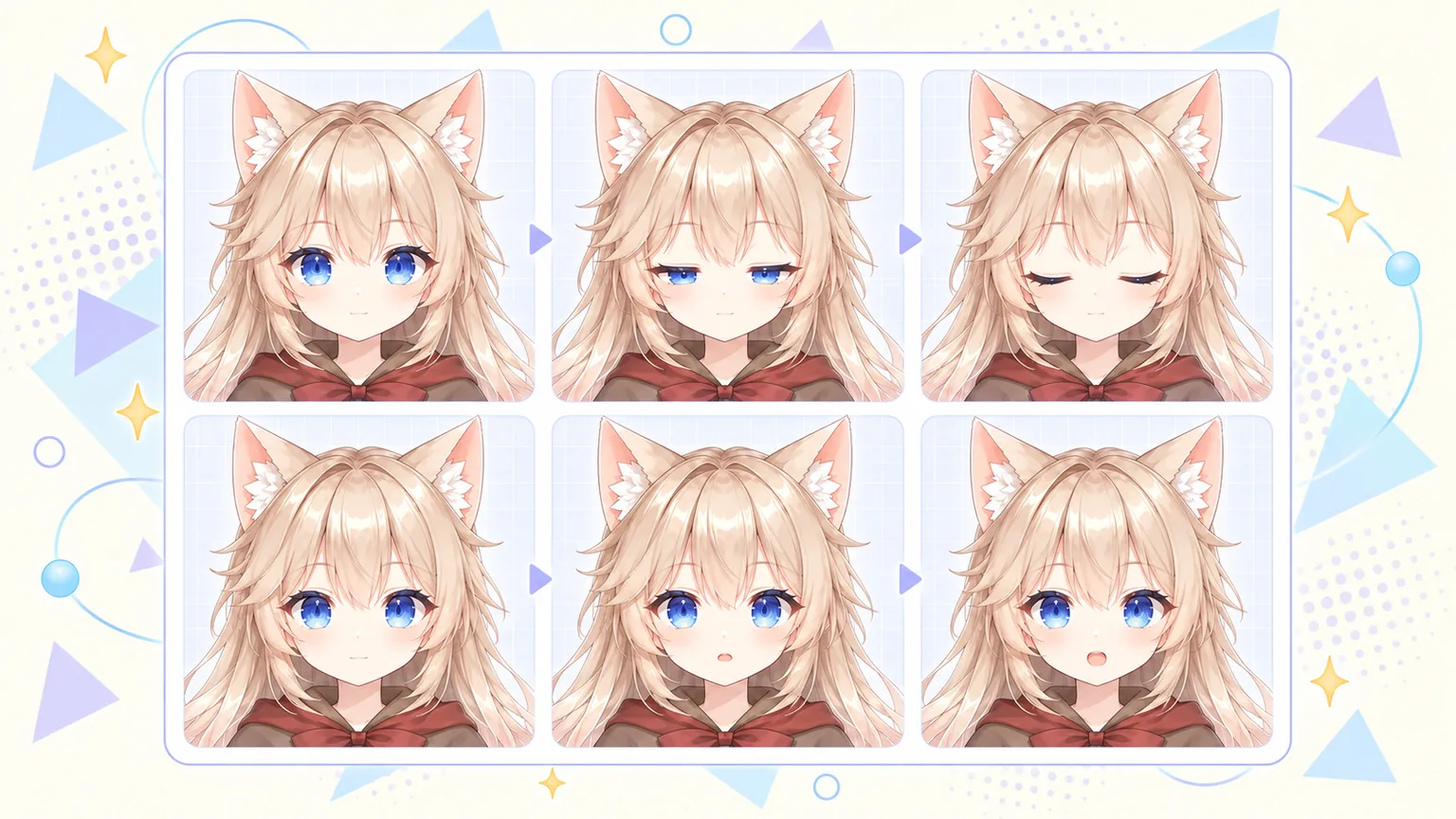
Concept illustration of discrete poses: open, half-closed, and closed eyes; closed, slightly open, and more open mouth. Playback selects a pose instead of dissolving two faces together.
A failed attempt should not discard successful work
Each successfully stored image is recorded against the model version. Retrying a failed task preserves those images and submits only the missing ones. If downloading or saving an existing batch result is interrupted, the recovery path retrieves that result again instead of immediately paying for another generation.
Once an expression image has succeeded, it is fixed for that model version. The application does not offer a reset or regeneration path for successful images, and the server rejects attempts to replace their recorded keys.
This policy preserves completed work, but it does not guarantee artistic quality. A technically valid image can still have an awkward mouth shape or a visual inconsistency. Nor can the system guarantee that an ambiguous provider submission timeout incurred no cost.
What this makes possible—and what it does not
This pipeline is currently connected to models generated in Virmii, whether they started from text or an image. User-uploaded VRMs continue to use the expression bindings already inside their files; uploading a VRM does not automatically add missing expressions.
A clearly visible frontal face is required. Non-humanoid faces, covered eyes or mouths, unusual head proportions, pronounced facial geometry, and large head turns can make detection or alignment unreliable.
The artwork is also separate from the VRM. It plays in Virmii's model preview, Live Studio, and OBS stage. Downloading the model does not embed this playback system or create facial shape keys for other applications.
What we have built is a practical way to give supported generated avatars visible expressions without first solving automatic facial mesh authoring. The 3D rig handles movement, the images provide the facial poses, and the tracker decides when to use them.
For the user-facing steps, see the AI expression generation guide.
AI expression generation costs 20 credits per set without a subscription. Creator and Pro use included monthly generations first; additional sets cost 20 credits. The initial charge is kept if generation fails. Each model version allows up to 2 free retries for missing or failed images, without using more credits, included generations, or model retry attempts. See pricing for the current monthly allowances.